No need to copy and paste text. Simply upload PDFs or images, and AI reads the content and creates fill-in-the-blank, multiple choice, and other question types in bulk. After generation, you can edit, distribute via URL, and automatically grade - streamlining the entire process of creating, distributing, and grading for class preparation and training management.
※Free plan available / Credit card can be added later (only when changing plans)

After class, common concerns include "I want to create a quiz but don't have time to think of questions" and "Paper handouts are a hassle to distribute, collect, and grade."
With Test Maker AI, simply upload a textbook PDF (or page photo), and AI extracts key points and generates question drafts. Then edit to keep only parts emphasized in class, remove overly difficult questions, add explanations, and complete.
Distribute via URL to collect answers immediately and see results right away, so you know exactly what to review in the next class.
The biggest challenge in training is the gap between "attended" and "understood." If you just hand out materials and end, you won't know where participants struggled, and can't improve next time.
Test Maker AI can turn existing training materials (PDFs) directly into questions. Create check tests mixing perspectives needed on-site like "term definitions," "procedure order," and "what not to do examples," then distribute via URL. You can run everything from answer history review to CSV export (if available) in one go.
Notes and highlighters often end with "feeling like you understand." With Test Maker AI, you can import handouts (PDFs/photos) and turn only the parts you want to remember into questions.
Changing from just reading to "recall and answer" learning improves review efficiency.
You want to distribute past exams, but paper distribution is a hassle. Images are hard to read. In such cases, photograph past exams, upload them, convert to "editable questions" with AI, then distribute.
Reproduce as much as possible including formatting, and finish with manual adjustments if needed.
Upload textbook PDFs, training material PDFs, handout images, past exam photos, etc. You can upload multiple files at once.
AI reads the content and generates questions based on key points. Creates a "draft" mixing formats like fill-in-the-blank, multiple choice, etc., suited to your purpose.
Generated results can be edited. Adjust question text, choices, answers, and explanations to finish in a form ready for on-site use.
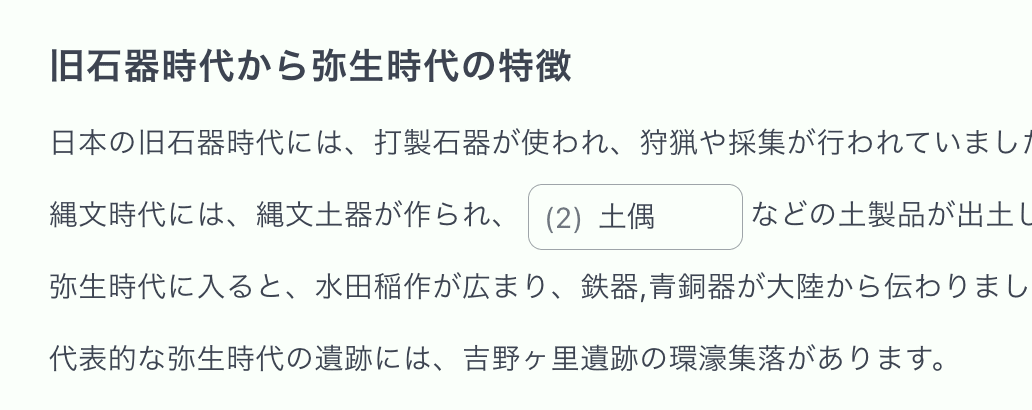
Test Maker AI can place multiple fill-in-the-blank questions at natural positions within long texts. Unlike traditional one-question-one-answer format, it realizes highly effective learning through context-aware question formats.
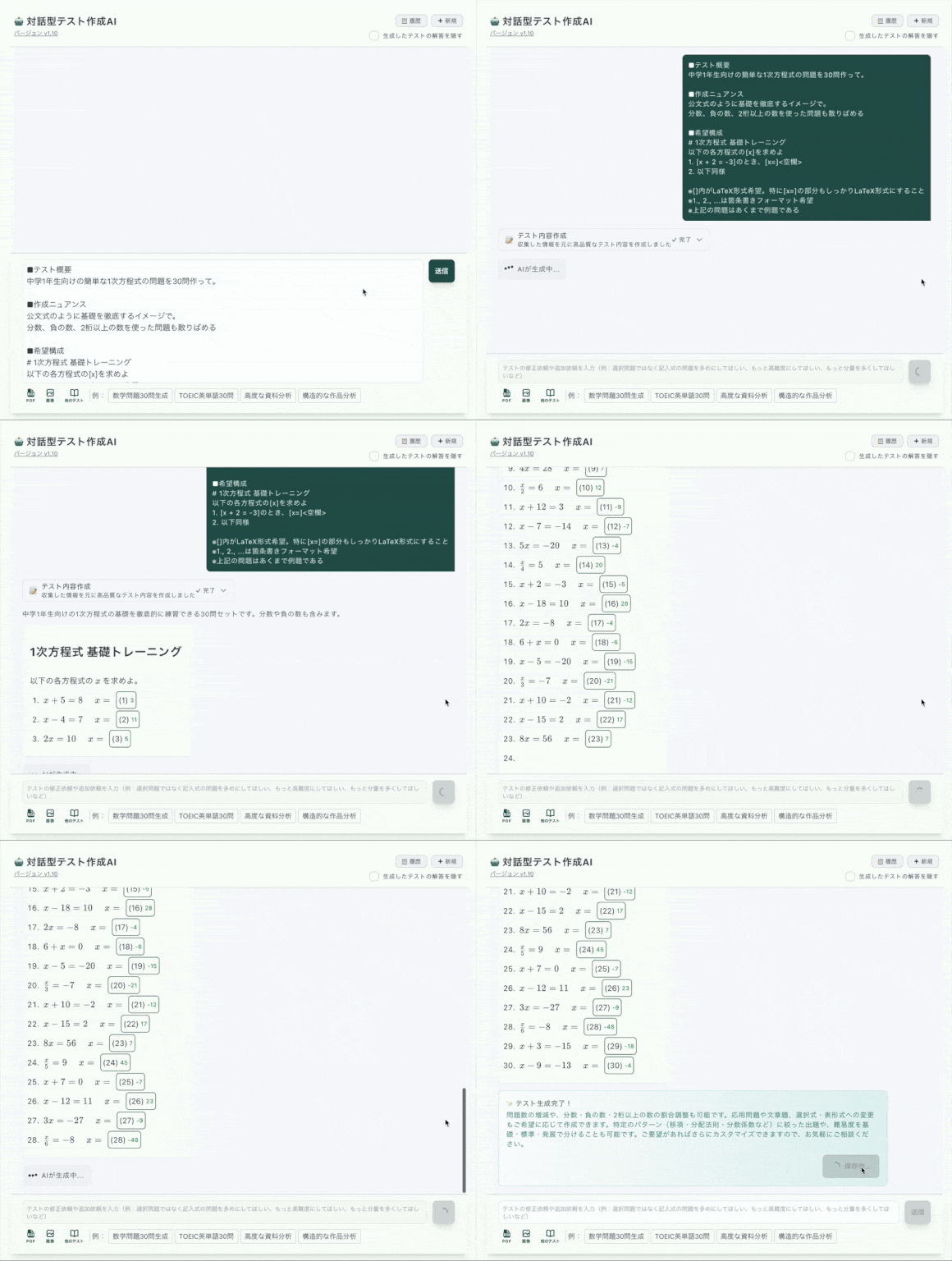
Test content can be gradually improved through dialogue with AI. Rather than one-time generation, we provide a system for continuous feedback to adjust toward ideal test questions.
Can simultaneously process multiple different format sources like PDFs, images, and text files to generate test questions. Enables multi-perspective questions for comprehensive learning evaluation.
Supports diverse question formats including multiple choice, fill-in, cloze, hint-enabled, mathematical, and table format questions. Choose optimal question styles according to learning objectives.
AI assists with topic research. For example, "organize and create questions on the latest regulatory changes" - efficiently handles research for question creation. ※Please verify final accuracy with primary sources.
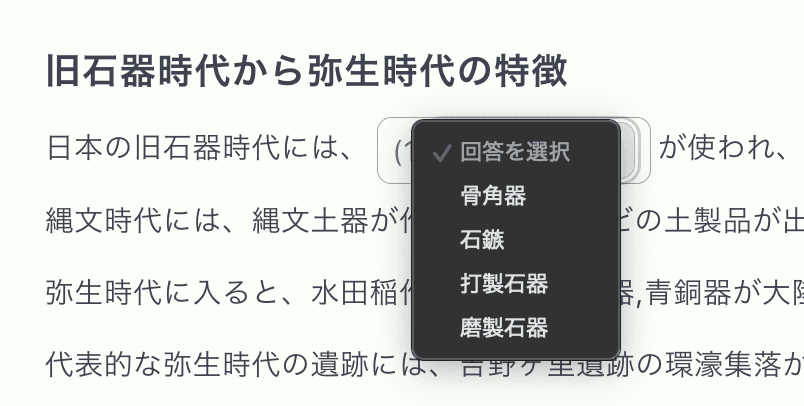
When creating fill-in-the-blank questions, AI automatically generates appropriate incorrect answer choices. Since it selects from real words in the same category as the correct answer, it significantly reduces manual work time.
AI-generated test questions can be freely edited and customized after generation. Question text adjustment, choice modification, answer correction - complete control enables flexible response to educational needs.

Place multiple fill-in-the-blank questions at natural positions within long texts. High learning effectiveness through context utilization

Dropdown selection questions and multiple correct answer formats. Automatically generates appropriate wrong answer choices

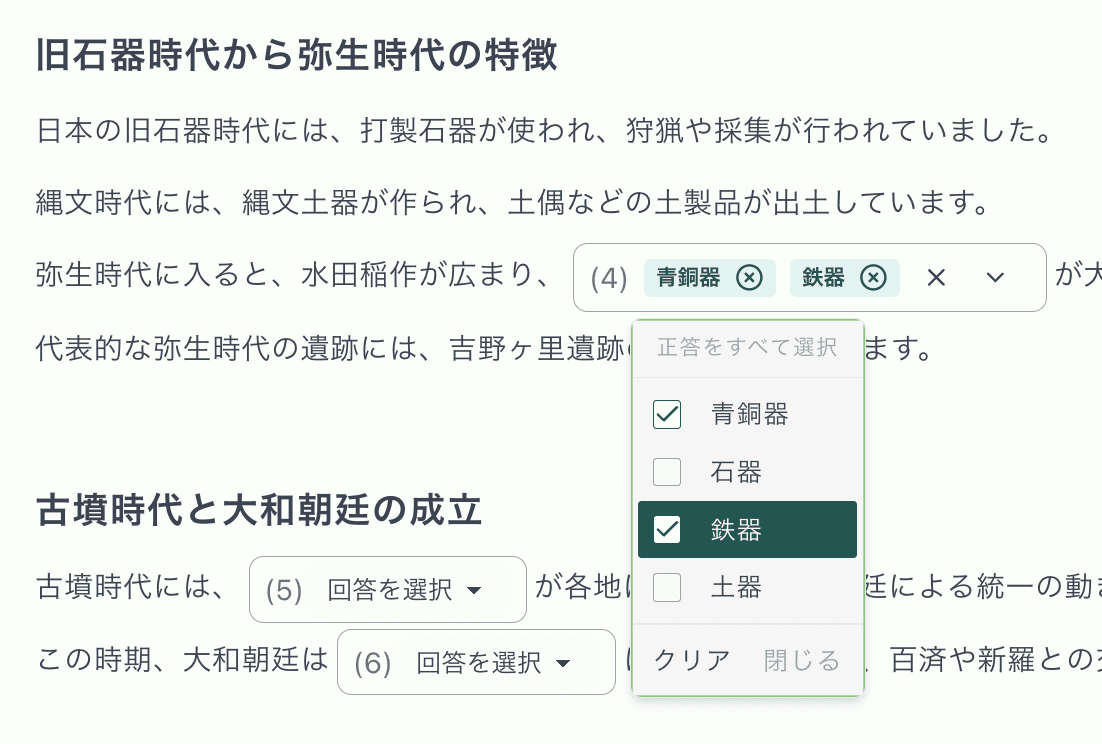
Question format requiring selection of all applicable choices. Advanced question type for deeper understanding measurement

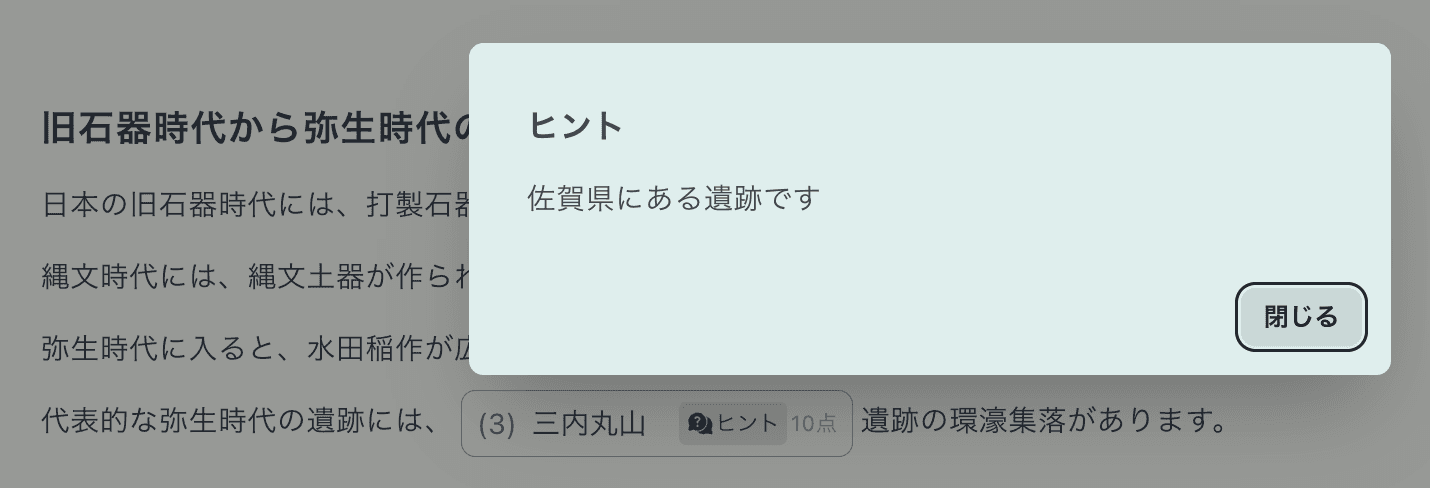
Questions that can display hints when needed. Supports gradual learning and promotes learner understanding

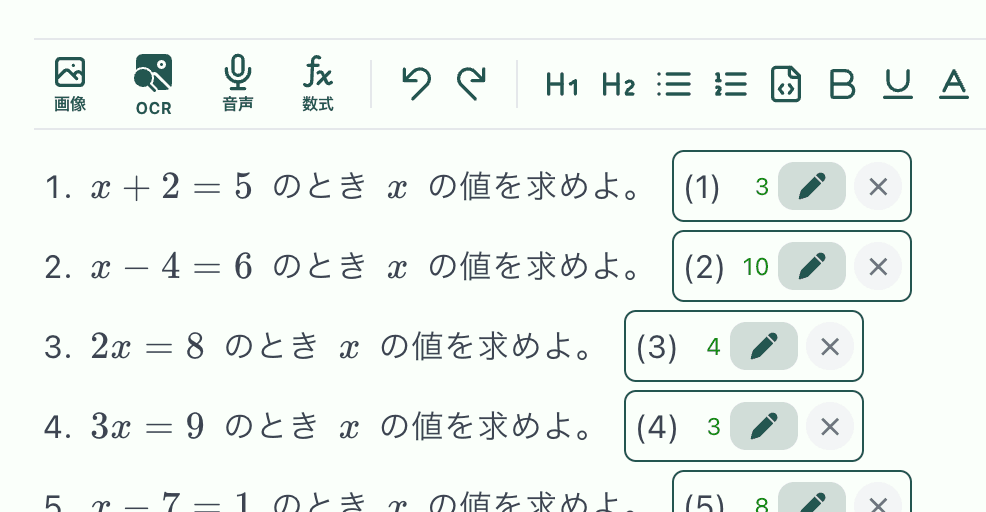
Complex mathematical expressions beautifully displayed in LaTeX notation. Supports specialized learning fields

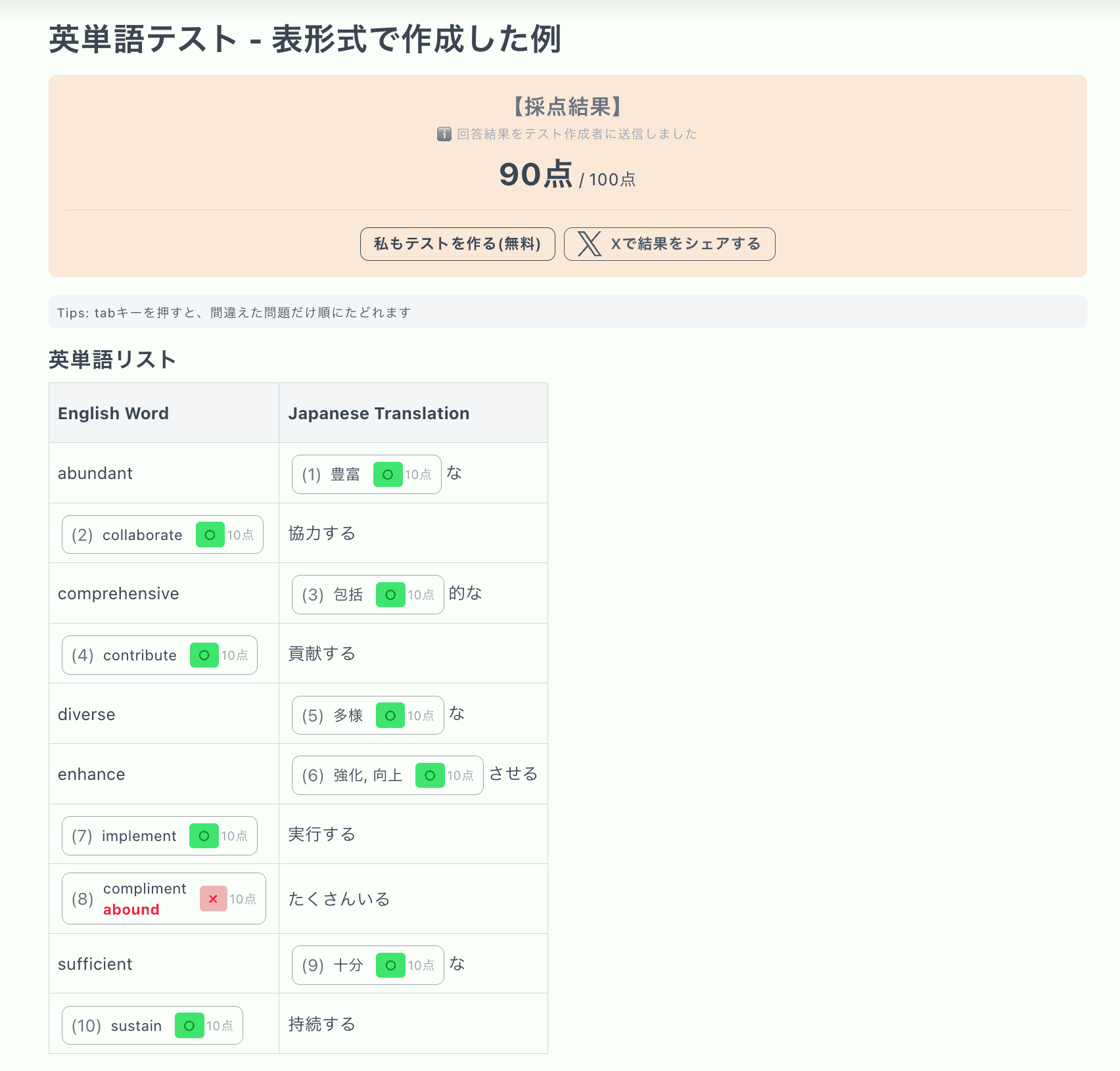
Possible to create questions in table format like vocabulary lists and glossaries. Improved learning efficiency with organized, readable layouts

Yes. You can upload PDFs or images and generate tests based on their content.
Yes. You can edit question text, choices, answers, explanations, etc., to adjust for your class or training.
Multiple formats including fill-in-the-blank, multiple choice, text input, hint-enabled, math, and table format (see examples on this page).
You can distribute via URL. Participants and students can answer via the link.
Yes, automatic grading is supported. Results can be checked immediately after answering.
Yes. It can be used for in-house training comprehension checks, certification study, and personal review purposes.
The Free plan lets you try basic features. Please check the pricing section for limits on usage count and saved items.
The fastest way is to "upload a PDF/image" or directly use the "sample prompts" at the bottom of this page.
※Credit card payment supported for both businesses and individuals
「Create 30 linear equation problems for 1st-year junior high students. Structure with gradual difficulty increase from basic transposition to applied problems, using LaTeX notation for clear mathematical display. Include explanations to enhance learning effectiveness.」
「Create 30 TOEIC 600-level English vocabulary questions in table format. 3-column structure with word-meaning-example sentence, evenly distributed across business, daily, and academic fields for efficient vocabulary improvement.」
「Read attached PDF file and create 20 comprehension test questions on its content. Combine important descriptive and multiple-choice questions, including diverse formats with in-text fill-in-the-blank questions.」
「Create 25 questions about Natsume Soseki's "Kokoro" to deepen work understanding. Include questions on character psychology, story structure, and literary techniques, suitable for high school Japanese learning.」
Tip: Just attach a PDF or image and say "Create a comprehension test from this content" to generate questions immediately.
©2025 Test Maker
For inquiries: Feature Request Form